![]() |
HOME CONTACT ABOUT US SUPPORT SENSORYTEST.COM |
![]() |
![]() |
SIMS 2000 SOFTWARE | QUESTION CHOICES | CLIENT COMMENTS |
MARKETS | VIEW REPORTS | FREE EVALUATION | |
TEST CHOICES | GET DEMO | SUPPORT |
Updated:
February 2010
SIMS 2000 - Version 6 - Sensory
Information Management System
Enhancements and Updates Listing - Readme
Notes:
·
This list is
intended to inform you about many of the enhancements and changes to SIMS 2000.
This list includes most significant software enhancements.
· Within each version of SIMS 2000, we may have released frequent ‘build dates’. You can see your exact SIMS 2000 build date on main menu screen of SIMS 2000 or under Help/About.
·
Getting the newest release is easy,
see menu option under Administration/Check for SIMS 2000 Updates.
·
Newest update of this list is always
available at: SIMS 2000 Support Web Page
·
We are
continually enhancing the SIMS 2000 sensory system software. We invite you to call us with your custom
requirements.
Recent Notable Big Enhancements:
SensoryTest.com,
Internet Sensory Testing
Penalty Analysis
Reporting, Tables and Excel Graphs.
Advanced
Statistical Analysis Reporting Table Generation via JMP in addition to SAS.
SIMS 2000
Attribute Type: Grouped Intensity.
Raw Data
Exporting, new columns for questionnaire Comment questions.
Raw Data Exporting
to statistical software, Excel, SAS, SPSS, JMP, Statistica, Statgraphics, Camo.
Questionnaire Editing, Multiple Attribute Copy and Paste.
Questionnaire Horizontal Hedonics Attributes, and multiple
question stacking.
Immediate
Individual Panelist Feedback.
Panelist
Credits Tracking, Rewards System, Manage all Credits & Debits.
Top 2 Bottom 2
Box & Top 3 Bottom 3 Box Advanced Analysis.
CrossTabs /
Sub-Group Analysis Reports.
Test Data
Attribute Frequency Graphs, Tables, Excel Export.
Panelist Activity/Performance Reports, Speed, Excel Exports.
Avery Label Printing, more options, better alignments,
easier.
LIMS Batch
Testing, Automated Test Creation, Execution, Linking.
Version 6
(listed by most recent enhancements)
Comment
Coding Reports, categorize & organize open-end comment data, hedonic
breakouts. (Feb 2010)
Questionnaire
Editing, new alignment option for
Details Top Margins Alignment. (Jan
2010)
Questionnaire
Branching, new ability to Branch Skip Pattern based All That Apply sub
choices. (Dec 2009)
Spellcheck
Questionnaire, add support for including Hedonic & All That Apply sub
choices. (Dec 2009)
Reports,
Panelist In Columns Report, new ability to include all Reps on same report.
(Nov 2009)
Questionnaire
Editing, new ability to easily move/change sequence, of ballot attributes/rows.
(Oct 2009)
Questionnaire
Branching, Technician editing screens, various visual and functional
enhancements. (Oct 2009)
Reports,
Enhanced Frequency reports for Hedonics, now include rows when choice frequency
is 0. (Sep 2009)
Reports,
New report, Multiple Test Result Raw Data Report. (Aug 2009)
Result
Summery Stats Report, new option for Combination of multiple tests data. (Aug 2009)
Statistics,
mean separations, new option Column Designations Format Market Research. (July 2009)
Internet,
Panelist Testing, support for more browsers, MSIE, Firefox, Mozilla, Safari,
Opera, etc. (June 2009)
Report
Top/Bottom/Middle Boxes, new ability to run Multiple Reports at once,
stack'em. (June 2009)
Test
Polling screen, improve information when force sample set selection, before
ballot # entry (June 2009)
Statistics,
new SAS GLM option for Order Term Effect as an additional independent
variable. (May 2009)
Anonymous
Panelist resignin now possible in certain situations. (May 2009)
Technician
screens, new automatic height adjustments better visual for today’s high res
monitors. (May 2009)
Report
Panelist Feedback, new technician options for subsets of Attributes. (May 2009)
Top/Bottom
Reports and Analysis, new options for Top 1, Bottom 1, and Middle 1 box. (May 2009)
New
test Startup Parameter, optionally skip
the automatic showing of the Polling Screen. (May 2009)
Graphics
and Charts, Standard Deviations and Confidence Intervals features and bars.
(April 2009)
New
Report, Attribute Export Labels List Reports, system-wide ballot counts,
summaries, data, etc. (Mar 2009)
New
Report, Sample Descriptions List Report, system-wide design counts, summaries,
data, etc. (Mar 2009)
Free-Choice
Profiling, panelist’s comment text entry becomes line scale attribute. (March
2009)
Paired
Comparison Attribute Analysis, support for Combining multiple Paired Comparison
Tests (March 2009)
Graphics
& Charts, Custom Favorites for Y Scale settings. (March 2009)
New
Panelist Comparison Report, Panelist In Columns Report. Good for Panelist Training. (February 2009)
Statistics,
added Confidence Interval (CI) to various reports such as Result Summary
Stats (February 2009)
Any
Panelist can now participate in many tests simultaneously, especially Generic Panelists
(January 2009)
Questionnaire
Comment Questions, more options, more control, better layouts. (December 2008)
Reports,
various improvements, new options, new columns.
Too many to list. (December 2008)
Questionnaire
Multiple Text Edit Anytime, more options, wider layout. Hedonics/ATAs/Comments. (Nov 2008)
Questionnaires,
all Attributes, TAGing question text support, formally just Instruction
boxes. (October 2008)
Quick
Code Search added to Test Definitions, Experimental Designs, and Panel Group
forms. (October 2008)
Panelist
Self Administration improvements, especially larger client sites multiple
groups. (October 2008)
Questionnaires,
Attributes Text, new visual Alignment options all question types. (September 2008)
Experimental
Designs, Sample Descriptions new import/export functionality. (September 2008)
Questionnaires,
enhanced All That Apply question types, new Matrix columns layout styles,
minimum and maximums optional rules, randomizations, and margins and widths
controls. (August 2008)
Test
Result Status, new column data for every panelist ‘Most Recent Response
Date/Time’. (July 2008)
Administrator
Deleting Panelists from *Active and Executing* Tests is now possible. (June 2008)
Report,
Quick Summary of all Test Result Codes, new expanded searches by description
& notes.(June 2008)
Questionnaires
Master Notes, new feature for Multiple Notes Editing. (June 2008)
LIMS
Batch Testing, Automated Test Creation, Execution, Linking. (May 2008)
Sample
Ranking, new support for incomplete block experimental designs. (Mar 2008)
SIMS
2000 application folder/directory new default of C:\Program
Files\SIMS2000\ (Mar 2008)
Statistical
Analysis, large studies, speed improvements report preparation. (Feb 2008)
Large
Ballots, improved speed performance while editing questionnaire, and report
statistics. (Feb 2008)
Sample
Profiling, popup one attribute for multiple samples simultaneously. (Jan 2008)
Panelist
Testing, All That Apply Attributes, new Randomization of choices order on
screen. (Dec 2007)
Raw
Data Export Reports, new Option for exporting Hedonic Captions instead of the
real data. (Dec 2007)
Comment
Report, new options for Response Column population, use nearest previous/next
Attribute.
Ranking,
new option to swap in Sample Descriptions User Sees instead of Blinding Codes.
(Dec 2007)
Windows
Vista, better detection of Versions, better multimedia video movie support in
ballots. (Dec 2007)
Test
Definition, Allow for changes to Questionnaire Code, Only if No Data exists the
Test. (Nov 2007)
Penalty
Analysis Reporting, Tables and Excel Graphs. (Nov 2007)
Test
Definition, Allow for changes to Questionnaire Code, Only if No Data exists the
Test . (Oct 2007)
Frequency
Reports, major rewrite, better speed, more options, Excel & Word exports,
etc. (Sep 2007)
Panelist
Testing, new <BEEP> tag for Instruction Boxes, such as following a Time
Delay screen. (Aug 2007)
Stats,
Incomplete Block, one sample presented, One Way Model, leading to Mean
Separations. (Aug 2007)
Test
Activity Polling screen, new option for Reducing Panel Flickering. (Aug 2007)
Graphs,
new options for order of the graph elements, Attributes/Samples Move Up/Down.
(Aug 2007)
Questionnaire
Branching/Skip patterns added conditional relative/absolute sample options.
(July 2007)
New
Result Summary Statistics Report, includes N, Mean, Min, Max, Std.Dev.,
Std.Err. (June 2007)
Test
Linking, new site-wide option Bypass and Skip the Test Link pass thru
message. (June 2007)
Microsoft
Word 2007, report exporting format improvements. (June 2007)
Questionnaire
editing, New easier Printing Ballots WYSIWYG.
(May 2007)
MS
Word 2007 report exporting format improvements.
(May 2007)
Test Polling
Screen, new ability to display Absolute Sample number without Blinding
Code. (Apr 2007)
Raw
Data Export, BIG Ballots, new Column Options to select Attribute Type
subsets. (Apr 2007)
SIMS
2000 Online Instructional Training Videos, New option under Main Menu +
Help. (Mar 2007)
Ranking
Reports, added Attribute Means and Graphs via Frequency Report forms. (Mar 2007)
New
Comment WORD Frequency Report (Mar 2007)
Questionnaire
Editing, quick search lookups, new Instruction Box Tags, new Branch options. (Mar 2007)
Deleting
Panelists from tests, new ability to select multiple panelists for
deletion. (Mar 2007)
Report
T2/B2 T3/B3 Added new statistics option for ‘One-Way Model’, best for nC1
studies. (Feb 2007)
Most
Excel Export Reports, better use of ‘Freeze’ header rows for easier visual
scrolling. (Feb 2007)
Questionnaire
Editing, new Anytime Multiple
Question/Instruction Text Editing. (Jan 2007)
Questionnaire
Editing, new Multiple Add/Edit import
Hedonics or All That Apply. (Jan 2007)
Panelist
Custom Fields, New All That Apply and Branching Logic, improved ease of use.
(Jan 2007)
Test
Definition Screens. Improved ease of
use, auto selections, speed, etc. (Dec 2006)
Questionnaires, New Instruction Box Tag for showing Sample
Descriptions in Questionnaires. (Dec 2006)
Questionnaires, New Panelist feedback for Same/Different
Test. See Forum Notes. (Dec 2006)
Stacking
Multiple Horizontal Hedonic Attribute Questions. (Oct 2006)
Click here to see
: SIMS 2000 Multiple Horizontal Hedonic Attributes
Statistical
Analysis, combining multiple tests, more flexible use of ‘Highly Similar’
Questionnaire. (Oct 2006)
New
Report, Multiple Result Means Report. (Oct 2006)
New
Panelist Testing option for Disable the Comment Popup Keypad usage In All
Questionnaires. (Oct 2006)
New
Statistical Analysis option to 'Drop all Demographic questions/attributes’ from
Analysis. (Sept 2006)
Windows
Domain Authentication, optional authentication for Technicians and/or
Panelists. (Sept 2006)
Quick
Summary of all Test Result Codes Report, New option for Text Search
Filter. (Sept 2006)
Project
Status Report, enhanced, new options, faster.
(August 2006)
Test
Definition Rotation Plans, New Excel Exporting of Rotation Plan Sample
Sets. (August 2006)
SensoryTest.com, Internet Sensory Testing. (July 2006)
Hide/Unhide
Management, New Buttons on key Forms, trying to get more clients using
concept. (July 2006)
Polling
Screen Wait Times, add better support for Anonymous Panelists. (July 2006)
Multimedia
MPG Movies in Questionnaire, fix AutoPlay which is suddenly an issue with XP
SP2. (July 2006)
Updated
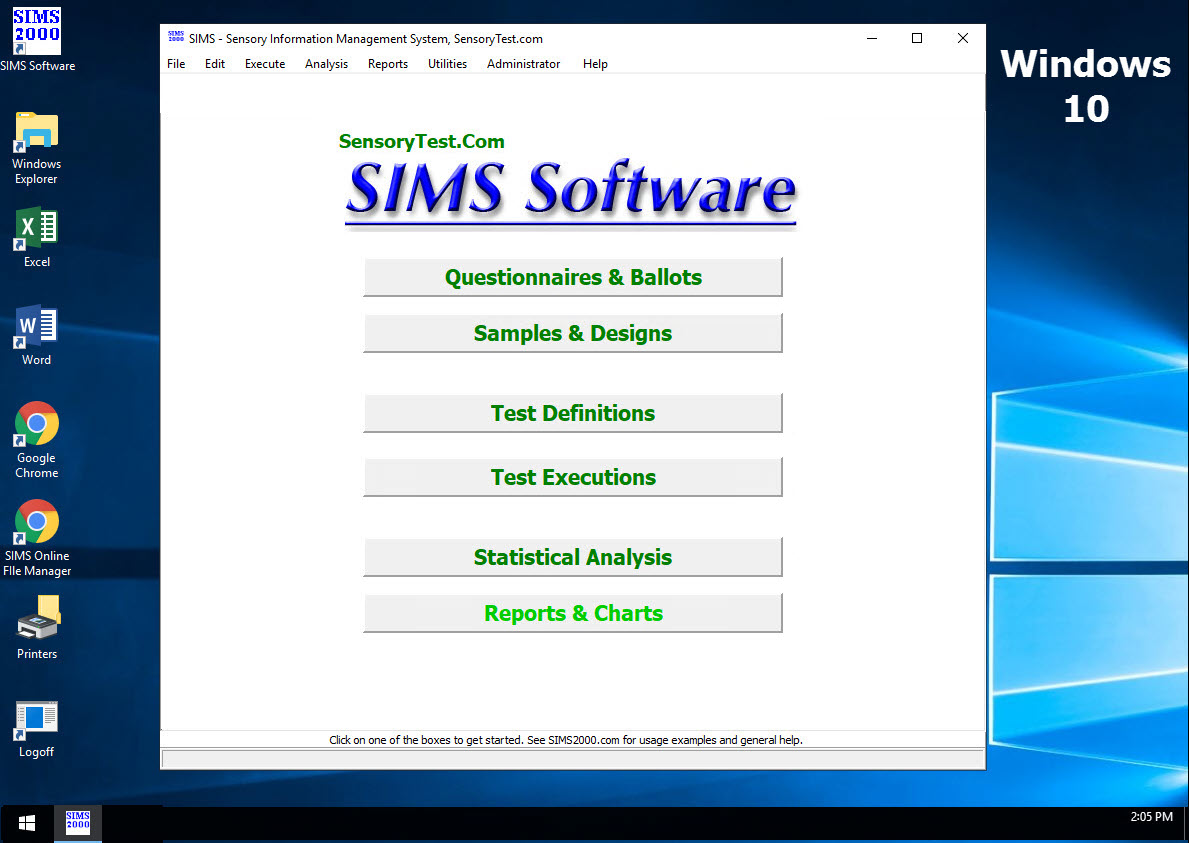
enhanced main menu, new clickable hot spots on system flowchart’s 8 boxes. (June 2006)
Profile
Tests with multiple reps, added new functionality to allow continuous
presentation reps. (June 2006)
Test
Data Frequency Reports, speed improvement, better stops, more progress
indicators. (May 2006)
Test
Definition Rotation Plans, new option to include Block Analysis from View. (May 2006)
Multiple
Test Linking, better dynamic detection for panelists of creation of technician
Test Links. (May 2006)
Graphics,
fix rare error when changing Attribute or Sample labels, only when subset of
graph. (May 2006)
Test
Polling screens, new option to append Absolute Sample Number with Blinding
Codes. (April 2006)
Graphics
and Charts, enhanced convenience of Y-Axis Scale options, Min, Max,
Divisions. (April 2006)
Questionnaire
All that Apply questions, increased width of allowed choices and Fonts. (April 2006)
Panelist
Credit Reports & Editing, new filter options for specific Technician User
IDs / Results. (March 2006)
Questionnaire
Editing for Line Scales, Reference Point Captions Global Replace. (March 2006)
Statistics,
updated helpful ‘Notes’ in many stats areas, t-tests, chi-squares,
discrimination, etc. (Feb 2006)
Statistics,
Top 3 / Bottom 3 Box Analysis functionality added to existing T2/B2 (Dec 2005)
Questionnaires,
All That Apply Questions, when many listed, new Automatic column creation logic
(Dec 2005)
Full Support
for Microsoft SQL Server 2005 (Dec 2005)
Including the free, easy-to-use,
lightweight SQL 2005 Express Edition.
SIMS
2000 Version 6 Released (Dec 2005)
Version 3.3
Statistics,
Combine Tests, more options, speed improvements (Nov 2005)
Panelist
Comparison Reports, speed improvements, especially for big studies (Nov 2005)
Test
Execution Test Linking enhanced, now allows for pre-existing Test Data in
either Test (Oct 2005)
Test
Sensitivity Analyzer, added to Main Reports, Discrimination Reports (Oct 2005)
Test
Execution, Panelist Discrimination Feedback Message Screen, visual enhancements
(Oct 2005)
Added
JMP Advanced Analysis Reporting to Table Generation (Sep 2005)
Sample
Blinding Codes, Randomization, added avoidance of repeated hundredth’s place
(Sep 2005)
Graphics
and Charts, new Chart type, Hi-Lo-Mean. (Aug 2005)
CrossTabs/SubGroups,
export to Excel, changed Hedonic Sort order to match questionnaire display
order.
Avery
Labels, added ability for technician to specify REFerence Label text other than
'REF'. (Aug 2005)
Questionnaire
Editing, automatic recall of user favorite Font for new Attributes instruction
text. (Aug 2005)
Frequency
Report Tabled Format, added optional Percentages to be included. (Aug 2005)
Frequency
Report Tabled Format, added new column for ALL samples when Attribute is seen
Relative.
Panelist
Comparison Report, Attribute Columns Sample, Excel Export Formatting
enhancements (Aug 2005)
Questionnaire,
Line Scale Reference Points, many Technician Editing User enhancements. (July
2005)
Questionnaire
Editing, Properties, New Full Screen Toggle functionality. Wheel Mouse support. (July 2005)
Panelist
Feedback Reports, added new rows/cells for (N) Observations. (July 2005)
Raw
Data Export, Anonymous panelist rows now appear better alpha sort order,
Anonymous[nnn] (July 2005)
Statistics,
New Sensory Test Raw Data Exporting to JMP (SAS) Statistics, along with
existing software data export support for SAS, SPSS, JMP Statgraphics,
Microsoft Excel, Camo Unscrambler, etc.
(May 2005)
Statistics,
SIMS 2000 Advanced Analysis via SAS, significant speed improvement. (May 2005)
Questionnaire Editing, Affective Discrimination, improved flexibility
for Discrimination Attributes. (May
2005)
Statistics,
New Anova Analysis Top Line Table using Only Microsoft Excel Functions. (April 2005)
All Editing/Reporting Forms
and Grids, better multiple keypress instant search and find. (April
2005)
Panelist Signin, new Timer (1 minute) Checks for Test Ended/Cancelled, then Auto Loop back to
Waiting for a test to Begin. (April 2005)
Questionnaire Editing, Time
Delay/Intensity, new optional image file for display during the delay
countdown. (April 2005)
Data SubSet Creation from
existing Result Master Test Data, use throughout SIMS2000 system (April 2005)
Test Polling Screen, new
option to display Panelist Name in addition to existing Panelist Code (April 2005)
Continuous Time Intensity,
Add Raw Data Export to Excel for Entire Data Sets (April 2005)
Discrimination Performance
Reports, Speed Improvements and Detail Reports to Excel Export (April 2005)
Statistics,
New Sensory Test Raw Data Exporting to Statsoft Statistica, along with existing
software data export support for SAS, SPSS, Statgraphics, Microsoft Excel, CAMO
Unscrambler, etc. (March 2005)
New
SIMS 2000 Attribute Type: Grouped Intensity.
Grouped Intensity Attributes allows you to group many attributes
together on the panelists questionnaire.
Many Intensity questions can now be presented within a PC monitor screen
than ever before. This was a BIG
enhancement to SIMS2000. (January 2005)
Click here to
see : SIMS 2000 Grouped Intensity Attributes
Test Data Result Master
Screen, new button showing all Test components for current Result’s Test
Definition.
Questionnaire Editing, better movable choices for Hedonic and
Multimedia, and All That Apply. (Jan
2005)
Line Scales, better looking
Add defaults, better save favorite, new load SCS default. (Nov 2004)
Panelist Master Reports, full
Excel exporting now available, including all custom criteria. (Nov 2004)
Panelist Master Reports,
new button to quickly select Panelists from any desired SIMS 2000 test. (Nov 2004)
Additional Helpful Test
information in various window’s blue title bar (Oct 2004)
Graphics, new option to
Average the Means for Demographic Attributes, available from Graphics
Icon/Menu, selecting Test Data Result Codes. (Oct 2004)
Panelist Reports, new
search Custom Criteria, search strings thru Panelist Notes. (Oct 2004)
Test start parameters new
option “Reset Sample # with each Rep.
Only shows when Allowing Continuous Presentation Over Reps. (Sept 2004)
Test start parameters new
option “Allow Panelists to Perform Panelist Self-Administration, new button on
Panelist Sign in Screen. (Sept 2004)
New
Frequency Report, Under Hedonics Only, Customized Grouping Analysis With Label
Options.(Sept 2004)
AnyRoom
Testing, new site-wide option, Panelist Sign in Screens, Show Only Test
Descriptions on AnyRoom Testing Selection Screen (Sept 2004)
VB
Enterprise Studio 6, Service Pack 6, Microsoft released March 2004. (Sept 2004)
New
additional 3rd last chance Warning, Test Integrity, when deleting or modifying
Test Components. New big display on this
final warning. Trying to avoid
accidental test data deletion. (Sept
2004)
New
Screens for Test Component Management, Hide and Unhide Management. (August 2004)
Panelist Reports, Custom
Criteria: New ability to save and load
custom searches. (August 2004)
Graphics and Charts, New
Button for Auto/Manual Scaling Y Axis.
(August 2004)
New
Reports for “Most Recent Results With Data”, new screens, more options. (June 2004)
New
Reports for “Show Dependents” for Questionnaires, Experimental Designs,
Experiment Plans, Panel Groups, and Test Definitions. More enhancements herein (June 2004)
Panelist
Comparison Reports, speed, Excel
exporting, enhancements. (June 2004)
Questionnaire Editing, , Multiple
Attribute Copy and Paste. (May 2004)
Raw
Data Exporting, new columns for questionnaire comment questions. (May 2004).
Raw
Data Exporting to statistical software, Excel, SAS, CAMO Unscrambler, SPSS (May 2004).
Most Technician Editing
Screens: Automatic Recall of ‘Last Code
Touched”. (April 2004)
Test start parameters new option
“Remove Sample Number and Count from Navigation Bar. (April 2004)
Test start parameters new
option “Remove Sample Number and Count from Navigation Bar. (April 2004)
Test start parameters,
general ease of use enhancements, better recall, hide unnecessary
options.(April 2004)
Profile Testing new option
“One Click Popups”, automatic question popup when grid clicked. (April 2004)
Profile Testing new ability
to include demographic questions seen only once. (April 2004)
New
IMMEDIATE INDIVIDUAL PANELIST FEEDBACK: A new software tool for your Panelist
Training.
The
Immediate Individual Panelist Feedback Report enables panelists to see how
their numeric responses compare to other panelists completing the same sensory
test. (March 2004) This was a BIG enhancement to SIMS2000.
Click here to see : SIMS 2000 Immediate Panelist Feedback
Added
tolerance and auto recovery for occasional network “Communication link failure”
error. (March 2004)
New Report: Top 10 Most Recent Results With Data. (February 2004)
Avery Labels, more
options, more labels, better alignments, easier. (February 2004)
Questionnaire Editing,
general ease of use improvements. (Dec
2003)
Questionnaire Editing, new
menu item: Go to Questionnaire Browsing,
along with ability to then Go directly to selected attribute. (Dec 2003)
Questionnaire Editing,
initial load and entry, will now panel clicks on TOP attribute so menu items
appear right away as expected. (Dec
2003)
Questionnaire Testing,
streamline presentation, Affective Tests which are really Discrimination, all
Attributes seen with Relative Sample Order 1.
(Dec 2003)
Questionnaire Design: Discrimination Paired Comparison Non Forced
Choice, add ability to use selectable Label for 3rd 'Neither' option.
Questionnaire Design: Hedonics, Global Replace of Hedonic Labels
throughout a Questionnaire
Questionnaire Design: Questionnaire Horizontal Hedonics
Attribute support (November 2002).
Questionnaire Design: Speed up, and improve performance for long
questionnaires.
Questionnaire Design: Speed up, and improve performance of the
questionnaire master selection grid.
Questionnaire Design: Enhancements to the scroll bar usability for
all questionnaires.
Questionnaire Design: Line Scales, Reference Point Fonts, usability
improvements.
Questionnaire Design: Line Scales, various Color selections, and
usability improvements.
Questionnaire Design: Enhance/Fix:
Hedonic Captions, very long captions, causing Word Wrap on multiple lines,
fixed. Also added more Wizard options,
and now the Wizard Return Values are High to Low.
Questionnaires Design: Editing, Hedonics, general human factor
improvements.
Questionnaires: White Space instead of Gray under Attributes
(Sept 2003).
Questionnaires: Fix Tabled Hedonics, may show in Editing as
Tabled when not opted (Sept 2003).
Questionnaires: Discrimination, add some white spaces under
the options buttons (Sept 2003).
Questionnaires: Discrimination Test Types, new bigger default
font size for Triangle Attributes (Sept 2003).
Questionnaires: Discrimination Test Types, remove some
attribute sequence restrictions, i.e.
Instructions and comments same page as Disc Questions (Sept 2003).
Questionnaire Summary Form,
Added informative Column for "Attribute Seen With". (Dec 2003)
Questionnaire Summary Form,
Added Export Grid to Excel. (Dec 2003)
Experimental Designs: Fix
rare instance of system error occurring when editing certain blinding codes.
Experimental Designs:
Numerous usability improvements on 2nd tab for Editing samples and
blinding codes.
Experimental Plans, New
ability to Import and Export Blocks Sample Order details directly from Excel .
Rotation Plans, Enhancement:
Allow User Default for View/Print Rotation Plans, for when using
pre-defined Panel Group, allow user selection view/print Order by Sample Sets,
Panelist Name alphabetic, or Both.
Polling
screen, Enhancement: New display
option: New Sample Wait Time.
Polling
screen, Enhancement: Samples displayed,
increase Max from 12 to 15.
SIMS2000, Automatic PC
Shutdown, enhanced to support for Windows 2000/XP.
Panelist Workstations -
Substantial speed performances for wireless/slow networks.
Test Definitions - Auto
populate the Description if NEW record, and Code exists in Experimental Design.
Test Results - Auto
populate the Descriptions if NEW record, and Code exists in Test Definition.
Panelist Maintenance
New
PANELIST CREDITS TRACKING:
Panelist
Credits Tracking is used in SIMS2000 to Track Credits/Rewards for Panelist Test Activity. Credit Tracking has been designed to allow
you to maintain a fully functional TRANSACTIONS-based series of
Transactions. Panelist Rewards! This was a BIG enhancement to SIMS2000.
Click here to see : SIMS2000 Panelist Credit Tracking
New
Panelist Notes History functionality:
Panelist
Notes History is used in SIMS2000 Panelist Maintenance, to allow an unlimited
number of Notes for any panelist, for any purpose. Any text may be used to define Panelist
Notes History. Example use: Track Panelist non-SIMS2000 Test historical
information. Reporting on Panelist Notes
is available via Panelist Master Reports. The use Panelist Notes History in
SIMS2000 is not mandatory.
Reports
and Statistical Analysis
The
New CrossTabs / Sub-Group Analysis Reports in SIMS 2000 explore data
relationships between response observations and a selected criteria question.
The Analysis Table Report generates a SAS analysis of data for a single
selected sample and each possible value of the selected criteria question. From
the SAS analysis SIMS2000 generates a Data Table comparing response observation
means and p-values for panelists grouped by each criteria question response
value.
Click here to
see : SIMS 2000 CrossTabs / Sub-Group Analysis Reports
New
Top 2 Box & Bottom 2 Box Advanced Analysis Reports in SIMS 2000 summarizes
the extreme observations for Hedonic Attributes. Market research studies often
refer to positive and negative rating measures using the Top 2 and Bottom 2
percentages as indicators of consumer acceptance. Uses
advanced SAS statistical Analysis. Uses
Table Generator, MS Word. This was a BIG enhancement to SIMS 2000.
Click here to
see : SIMS 2000 Top 2 Box & Bottom 2 Box Advanced Analysis Reports
New
Raw Data Exporting to statistical software The CAMO Unscrambler, in addition to
existing exporting to Microsoft Excel, Microsoft Word, SAS, and Text Files. Optional quotation delimiters.
Click here to see : SIMS 2000 CAMO Unscrambler DataLink
Raw
Data Exporting, Add option for Date/Time
of earliest Panelist data entry, on each row.
Raw
Data Exporting, Add option for Excel
Export to Include Panelist Custom Criteria data (Sept 2003)
CAMO Unscrambler Export,
more Row Name options, such as Sample Description & Number.
Additional SAS Analysis
Option - One-Way ANOVA Between Sample Groups
(May 2003).
Additional SIMS 2000 Report
(Excel Format) - Preference Counts for Paired Comparison (May 2003).
New
SAS Log Warning detection message within SIMS2000 for Mean Separation
procedures Warning, probably one sample test
Table
Generator, add functionality to Sort by Attribute Name.
Table
Generator, Now Allow Table generation from Test Results Codes (in addition to
existing SAS and stored tables) .
Table
Generator, Tukey’s, issue when any Panelist did not complete all Samples, SAS
Listing would not have Means in GLM Section as expected. Fixed.
Table
Generator, New Graphics Button, automatically launch SIMS 2000 Graphics using
Table on screen.
Test
Data Frequency Reports: Added
"Export Table & Graphics" to main screen (new Tab), to select
from a Tests Attributes, send Frequency Table to Export (to MS Word) and launch
into SIMS 2000 Graphics. (Major
Enhancement.)
Paired
Comparison data results, and reports, are now shown as data 1=Sample1,
2=Sample2 (Dec 2003)
Frequency
Test Data Reports, better labeling on certain Test Data Frequency Reports to
reflect the Attribute's status as being Seen only with certain
"Relative" or "Absolute" samples to avoid future confusion.
Continuous
Time Intensity Report Form, Added: Export Grid to Excel (Dec 2003)
Attribute
Report: Complete rewrite, more options,
more speed, usability improvements.
New Discrimination
Correct/Incorrect Report.
Discrimination
Panelists Report Cards: Complete
rewrite, more options, more speed, usability
improvements.
Panelist Activity/Performance Reports, Speed, Excel
Exports (Sept 2003).
Graphics
and Charts
Enhance/Fix: Make the Attribute Order be that of the
Questionnaire's true Presentation Order (this was only an issue for
questionnaires where a lot of editing and movement of attributes had occurred)
Administration / Other
Added
Proxy Server Support, Check For SIMS 2000 Updates. (Dec 2003)
Better
use of Colors, Buttons, etc. throughout SIMS2000.
Editing
Raw Data: Complete rewrite, more
options, more speed, usability
improvements.
Speed
improvements throughout system. Speed improvements may be dramatic in some
areas, especially those client sites with lots of data.
International Support for
Date formats dd/mm/yyyy.
Technician Users - Email
Notification
Email Notification is an
advanced SIMS2000 functionality to Automatically have an EMAIL message sent
whenever a SIMS 2000 Technician User makes any MODS/ADDS/DELETES on either the
Questionnaire Master Screen or the Experimental Design Master Screen.
Hidden Key Strokes for
Technician Usage:
New Hidden keystroke, CTRL-E, will abruptly END TEST (please use sparingly)
New Hidden keystroke,
CTRL-U, will show list of unanswered questions on current page.
Skip Samples, allow
decrement Reps to previous Reps, even if data in later Reps, allow decrement
Samples to previous Samples, even if data in later Samples.
Security Enhancement: Include user’s computer name and OS Login ID for
some audit logs and messages.
Microsoft
file MSVBVM60.DLL Version checking during program start, bad
version=6.00.8877. Tell User/Panelist if
bad version detected. Also show version
in Help Information.
Enhanced Administrator
report View Database/Server Options.
Tells more about Server hardware and configuration.
Administration, option to
Bypass (site-wide) check for SIMS2000 Setup central location server share (Dec 2003)
Additional Note: Many of the newest enhancements are
“behind-the-scenes”, relating to our
fine-tuning of the database speed and efficiency.
Version 3.3
(thru Build Date August 2nd, 2001)
Panelist Maintenance
Panelist Custom Criteria, significant update, various
program areas.
Panelist Self Administration: Panelists can now Add
themselves to the SIMS2000 System.
Panelists can now add and update their own custom
criteria.
Panelist Screens look and feel similar to normal
testing screens.
New Windows Icon for SIMS2000 Panelist Self
Administration.
New dropdown menu item on SIMS2000 main menus:
"Edit / Panelist Self Administration"
Microsoft Excel Exporting functionality for panelist
criteria data.
New Fields in Panelist Master Maintenance:
Panelist Master Last Modification Date for Basic
Information.
Panelist Master Last Modification Date for Custom
Criteria.
Panelist Master Last Sensory Test Login Date.
Panelist Master Last Self Administration Login Date.
Test Design and Execution
Fix Backspace key press issue where a Next Page would
occur unexpectedly.
Multimedia Image Attributes: Types: *.BMP, *.JPG,
*.GIF. Other types may also work.
Multimedia Video Attributes: Types: *.AVI, *.MPG.
Other types may also work.
Multimedia Sound Attributes: Types: *.WAV. Other types
may also work.
New Hidden keystroke, CTRL-E, will abruptly END TEST
(please use sparingly)
AnyRoom Panelist Login, Test Room selection screen:
bigger fonts, better spacing.
Experimental Plans, Rotation Plans, dramatic speed
improvement for complex randomization. (new Latin Square)
General enhancements and fixes to Panelist Sign in
Screen. Bigger fonts, easier for Panelists.
Better support for ‘alphanumeric’ blinding codes
under experimental designs.
General enhancements and fixes to Line Scales in Profiling
Tests.
Test Status Screen/Grid, general enhancements and
optional export to Microsoft Excel.
Experimental Plans, Added Complete Block Balanced
Randomization, can be used instead of randomization at Test Definition.
Questionnaire Editing, new GoTo option for quick easy
technician navigation.
Reports and Stats
Speed enhancements to all Reports.
Raw Data Exporting to Microsoft Excel and/or Text
Files. Optional quotation delimiters.
Added program logic for hiding ‘Hidden’ Result Codes.
New report: ‘Quick All Results Code Summary Report’
on most Result Code Lookup screens.
Enhancements and Fixes to Ranking Frequency
Reporting. Also better labeling, more options.
Panelist Master Reports, better criteria subset
selection.
Selection SAS Files and/or post analysis data, during
Table Generation, improved user interface.
SAS, more warnings are displayed to SIMS2000
technician, if reported by SAS in execution logs.
Enhancements and Fixes to Comment Reporting. Also
better labeling, more options.
Avery Labels. Added Discrimination Triangle Tests use
of Test Definitions, eliminates extra label(s).
Enhancements and Fixes to Time Continuous Reporting.
Also better labeling, more options. Sample Averages.
Microsoft Word and Table Generation, many new options
for Exporting.
New Report: Project Status Report. Shows all projects
(Test Result Codes), various options, MS Word Export.
Active Room Status Report, new option to Export to
Microsoft Excel, many new options.
Speed improvements for generation and display of
Lookup Tables (combo boxes) for Test Result selection. Speed improvements may
be dramatic, especially those client sites with lots of data. This Test Result
selection occurs on many SIMS2000 screens, such as Reports, Stats, Execution,
etc.
Graphics and Charts
New functionality, creation of graphs and charts
directly from SIMS2000 Test Results Codes. This is in addition to the existing
functionality which only used data after it was processed thru SAS Analysis.
Therefore, graphs and charts are now available for all SIMS2000 tests, using
standard linear means, without the need for any advanced SAS statistics.
Administration / Other
Resetting Panelists, allow Forced Reset to individual
panelists even if test is running.
New Technician Hidden Keystroke, CTRL-E, will allow
ending a panelist test in progress on the panelists station.
New easier use of Windows File Folder Browse, when
appropriate, such as User options, SAS locations, etc.
Better support in SIMS2000 for Windows 2000 default
active desktop color schemes set via Control Panel / Display / Appearance,
especially gray.
Added/Fixed Multimedia AVI Movie support for Windows
2000, IE 5.5, and Windows Media Player 7.
SQL Server 2000 Platform Database Support. (a.k.a.
SQL Version 8.x)
Ability to Check for SIMS2000 Updates via the web,
via SIMSFTP.
All ‘Save As’ screens now support Windows Long File
Names.
New Check for SIMS2000 Updates, direct download of
newest SIMS2000 release from Internet.
Better support for International Date formatting.
New version of SIMS2000 Demonstration / Tutorial. New
version of distribution CDROM Front End.
>>> End of List <<<
Version
3.2
(last
release January 2001)
Administration / Other
SIMS 2000 User List: Add new field for last login
date. Can be seen on Edit Users and Display Users.
Deleting Panelists Form: Various improvements with
general ease of use. Deleting Panelists from Tests: Fix issues where Panelist’s
slot would remain unavailable to other panelists. (This issue was a common for
our clients, a big improvement here.)
User Data Path: Allow short path names.
User Data Path: Disallow use of spaces, full long
path names are not supported.
User Message Forms: Various improvements.
Backup: Allow backup of ONE questionnaire. Will be
handy for clients to email us their questionnaire for assist in support or
problem resolution. Backup function continues to allow full SQL DB backups.
Additional Note: Many of the newest enhancements are
"behind-the-scenes", relating to our fine-tuning of the database
speed and efficiency.
Test Design and Execution
Panelist Sign in: Now allow instant Resetting of
panelists at Panelist station when they receive message stating that they are
"Already signed into an active room". (Technician-only trick)
Panelist Sign in: Improvements to avoid message that
"The Number of allowed Panelists has been exceeded", SIMS 2000 will
now do a more advanced search for an open panelist slot.
Panelist Sign in, Lookup: Allow key press auto lookup
and selection on last name.
Panelist Sign in, Lookup: Now only include
"Active" and eligible Panelists in Lookup Grid.
Test Design and Execution
Test Execution: New option to "Force Panelists
to Enter Sample Code", instead of the normal message they receive stating
what their next sample code will be, which is optional.
Test Execution: Fix rare instance of Questionnaire
Line Scales with "No Knob" not properly allowing navigation to Next
Page or Next Sample.
Test Execution: Fix rare instance of END Button not
appearing on older Windows PCs.
We also added additional Technician-only trick
keystrokes if issue remains.
Test Execution: Fix rare instances of issues with
Reference Points.
Test Linking Forms: Various improvements with general
ease of use.
Polling Screen: Fix rare instance of disappearing
sample set information.
Polling Screen: Fix rare instance of errors when
resetting panelists while viewing all rooms.
MAPID Table: (Technical description) Fix various
issues, now global verification, and auto resync if necessary, that panelists
counts in result tables will properly match those with MAPID records. Tests
with entire panelist population.
Test Analysis and Reports
SAS Analysis: Add Support new SAS Release 8.x.
SAS Analysis: Add Support for Long File Names
pointing to SAS.EXE.
SAS Analysis: Remove limitation of 140 character
length of batch processing, ’submit’.
SAS Analysis: New "Other Analysis Option"
for "Incorporate Panelist Consistency Over Reps",
change SAS Model statement Order resulting in use of
P-Values from the Samples, not the Reps
SAS Analysis: New ability to create Calculated
Attributes, which are derived Delta attributes from existing real and presented
attributes from your questionnaires.
SAS Analysis: New analysis, Dunnett’s T Test, to
derive source of mean scores, like Duncan’s.
Used for Multiple Comparison Analysis of a Difference
from Control test.
Reports: New Top/Bottom 2 Boxes Report. Summarizes
the extreme observations for hedonic attributes (Hedonic attributes only). The
report also includes the superscripts, p-values, and significance levels as
reported in normal analysis for each of the hedonic attributes.
Reports: New Data Sub Grouping Report, also referred
to as Sub-Group Analysis or CrossTab Analysis, is used to analyze the data
based on responses to a particular question or questions.
Reports: New Panelist Comparison Report - Attribute
Columns by Sample - Excel Export Only.
The report
also displays means for each attribute type except comments.
Reports: Improved Data Frequency Report, for more
question types.
Reports: Improved Discrimination Paired Comparison
Report. Now prints better information on which result is Sample 1 & Sample
2
Version 3.1 (last release
October 2000)
Administration / Other
SIMS 2000 is now a 100% 32-bit native Windows
application.
Elimination of ODBC 16-bit requirements.
Faster use of native 32-bit controls and Windows
DLLs.
Setup: Microsoft Internet Explorer, Version 5.0 or
newer required.
Setup: Microsoft ODBC32 MDAC, Version 2.5 (2.50.4403)
or newer required.
Setup: Added Advanced option to Install Microsoft
Internet Explorer.
Setup: Uninstall Support via Windows Control Panel
Setup: Added Advanced option to Install Microsoft
ODBC32 MDAC.
Setup: Added Advanced option to Install Microsoft
DCOM (W95 only).
Setup: Added Advanced option to Install Microsoft
Windows Media Player.
Email Support: Email interface build in SIMS2000 to
easily communicate with SCS.
Error Reporting: Added ability to easily Email to SCS
error screen reports.
FTP Support (File Transfer Protocol). General usage,
Backup SQL File FTP to SCS Feature.
Reorganize / simplify Administrative options screens.
Temporary files automatic maintenance.
Year visual formats expanded to yyyy. SIMS2000 was
already Y2K in previous versions 2.9 & 2.8
Rewrote Shutdown Utility.
Rewrote Print Screen Utility.
Isolated bugs fixed.
Test Design and Execution
Questionnaire Design: Added Sample Profiling.
Questionnaire Design: Ability to ‘Hide’ older and
unneeded Questionnaires.
Questionnaire Design: Increased size of lookup
table/grid, header click to toggle alpha sort order.
Experimental Designs: Ability to ‘Hide’ older and
unneeded Experimental Designs.
Experimental Designs: Increased size of lookup
table/grid, header click to toggle alpha sort order.
Panelist Groups: Ability to ‘Hide’ older and unneeded
Panelist Groups
Panelist Groups: Increased size of lookup table/grid,
header click to toggle alpha sort order.
Test Definitions: Ability to ‘Hide’ older and
unneeded Test Definitions.
Test Definitions: Increased size of lookup
table/grid, header click to toggle alpha sort order.
Test Results: Ability to ‘Hide’ older and unneeded
Test Results.
Test Results: Increased size of lookup table/grid,
header click to toggle alpha sort order.
Text Execution: Added option to disable the sign-in
screen "Lookup" button.
Test Analysis and Reports
Panelists Master Report, Added Panelist Location to
Select Criteria:
Panelists Master Report, Added additional output
fields for location and new phone related fields.
Frequency Reports: For Hedonic Question types,
include ‘wording’ that was used for choices.
Frequency Reports: For Y/N Question types, include
value descriptors Y=2 N=1.
Data Results Reports: For Hedonic Question types,
include ‘wording’ that was used for choices.
Data Results Reports: For Y/N Question types, include
value descriptors Y=2 N=1.
Avery Labels: Added "Save and Remember"
custom printer alignment tweaking.
Graphics: Ability to save Graphics and Charts in
various file formats, Windows Bitmap .BMP, JPEG Bitmap .JPG, or Windows
Metafile .WMF.
Graphics: Overall functional enhancements.
Panelist Master Data
Added new data field: Location, to specify general
location of panelist, i.e., for multi test-site clients.
Added new
data field: Work phone extension.
Added new
data field: Home phone extension.
Added new
data field: Cell phone number.
Added new
data field: Beeper phone number.
Database
Microsoft SQL Server 7.0 / 6.5 Support.
Full RDO usage (Remote Data Objects) for SQL
database, drop older DAO.
Added ability to use DSN-Less ODBC 32-bit
connections.
Additional user screens for troubleshooting SQL
database connectivity issues.
Additional Backup and Restore Functionality.
FTP Support (File Transfer Protocol). General usage,
Backup SQL File FTP to SCS Feature.
Version 2.9 (last
release August 1999)
Test Design and Execution
Questionnaire Design: Long Questionnaires, (more then
80 attributes) enhancements and performance improvements. Questionnaire Design:
Fixes to issues with reference points.
Questionnaire Design: Additional Magnitude Question
Design options.
Questionnaire Design: Various cosmetic fixes.
Experimental Designs: Streamlined blinding codes
logic for improved ease of use.
Now shows all blinding codes for all samples, and all
reps.
Experimental Designs: New optional Description user
sees in message box at beginning of each sample in additional to the sample
number and blinding code..
Experimental Designs: Fix for the occasional
"record not found" error.
Panelist Groups: Streamlined panelist selection logic
for improved ease of use.
Panelist Groups: Added ability to easily view
available active panelists by Gender.
Enhanced features for Copy & Paste during
questionnaire/experimental design.
Master Screen Grids now sort ascending and descending
by clicking on grid headers.
Optional Test presentation feature to bypass the
sample number verification.
Optional Test presentation feature to show previous
sample values in a popup window.
Test Execution: Additional Speed when saving between
panelists screens, especially for slower wireless handheld PC panelists
stations.
Test Execution: Fixed issues with Comment questions
with certain experimental plans.
Test Analysis and Reports
New options for Panelist Master Listing:
Order by Random sort, in addition to by Name and by Panelist
ID Number.
Include groupings of Email addresses, with any email
system delimiter.
Analysis: Optional Number of Decimal places for Means
on SIMS 2000 Generated Tables.
Analysis: Added option to have SIMS 2000 create a
native SAS SD2 data file.
Can be used by a Statistician in SAS for additional
data manipulations.
Reports: New "Most" Panelist Activity
Reports. List your panelists who have participated in the most tests, and who
have answered the most questions.
Reports: Panelist Comparison Reports, increased max
samples per page to 10, from 8.
Reports: Panelist Comparison Reports, increased speed
performance with big tests
Reports: Discrimination Comment Reports,
enhancements/fixes.
Reports: More Avery Label options for printing
blinding codes.
MS Word Linking, improvements and fixes with Final
Tables.
Added two types of Magnitude Estimation Analysis:
Arithmetic and Geometric Analysis.
Added more final Table information for Discrimination
Beta Analysis.
Added additional information in SAS Contrast Analysis.
SAS: Better detection and messages for SAS License
expiration.
Administration / Other
Notes Buttons: More notes buttons added throughout
system to assist with current screen options and more explanations.
Polling Screen: Increased maximum to 80 panelist
stations on polling screen simultaneously.
There is still no logical limit to the number of
actual testing stations.
Polling Screen: Discrimination Triangle Test display
update fix.
Ability to disable the panelists ID Lookup screen
during test sign-in, site-wide option.
Enhancement for Editing SIMS 2000 User Lists, i.e.
Sensory Technicians.
Setup: New Version of Client Application SETUP.EXE
(Wise 6.0)
Setup: Added option to select number of Affective
Room # Icons that will be placed into the SIMS 2000 Desktop Folder, default is
for 2 Affective Room Icons, may also now select 5 or 10.
Setup: By default, no longer writing to registry, can
be optionally set to do registry.
CD ROM Auto Run - Additional options and information.
PCA 8.0 added to CD ROM.
Microsoft Service Packs 3 and 4 for Windows NT 4.0
added to CD ROM.
Microsoft Service Packs 3 and 4 for SQL Server 6.5
added to CD ROM.
Version 2.8 (last
release October 1998)
Notes: Version 2.8 was a maintenance release of SIMS
2000. Many of the newest enhancements are "behind-the-scenes",
relating to our fine-tuning of the database speed and efficiency.
Database Size
The amount of disk space used by the SIMS 2000 SQL
Database during all normal operations has been reduced significantly. This was
accomplished by our enhancing how the test results are saves. Test results are
the most abundant type of data saved in the database. After the SIMS 2000
version 2.8 update, your database size requirements will reduce by at least
50%.
Test Analysis and Reports
Panelist Good Discriminator reports are now
available.
Panelist Report Card reports are now available.
Discrimination Positional Analysis Reports.
Enhanced features for data set combinations.
SAS enterprise additional parameters available.
Test Design and Execution
Enhanced features for Copy & Paste during
questionnaire design.
Enhanced features for editing Blinding code
experimental design.
Optional Test presentation feature to bypass the
sample number verification.
Page Complete/Incomplete for panelist’s reference.
Administration / Other
Additional system information screens available.
Auto Run added to the SIMS 2000 CD.
Wireless networking throughput performance enhanced.
Version 2.7 (last
release February 1998)
Test Design and Execution
Test Linking. Panelist signs in once and
automatically participates in multiple SIMS 2000 tests without having to
re-sign in again.
Skip Patterns / Logical Branching added to
questionnaire designs. This feature allows the technician to specify which
questions are presented to panelist based on previous question responses.
Branching gives you the ability to jump/skip over pages based upon the
panelist’s answers to designated attributes. For example, you might force a
panelist to answer a series of detailed questions about liking only if his/her
overall liking was over (or under) a specified level.
Line Scale viewable return values now allow
customized font types, font colors, and font sizes.
Line Scale anchors now allow customized font types,
font colors, and font sizes.
Line Scale reference points now allow customized font
types, font colors, and font sizes.
Line Scale tic marks now allow customized font types,
font colors, and font sizes.
Magnitude Estimation question types, normalization of
data analysis.
Comment question types can now be presented to
require/not require a panelist response according to your choice.
Comment question types can now be presented with or
without visual keyboard on screen.
Speed improvement for Inserting and Deleting
questions in a large questionnaire.
New Tab in Experimental Designs - Test Request
information. Study objective, Client name, Client phone number, Analyst name,
Product available date, Results required by date, Yes/No check box indicating
if the design can be used for testing.
Experimental Designs - Optional Automatic
incrementing of Design codes based upon a calendar year format yyyy-####, such
as 1998-0001.
Experimental Designs - Number of Respondents can now
be specified as Zero. This value will be checked during Test Definition and
reverse populated using the number of panelists on the panel group selected
during testing.
Creating Test Definitions
A new option which will only display (for selection)
questionnaires not previously used.
A new option which will only display experimental
designs not previously used.
A new option which will only display experimental
designs with Schedule = Yes.
Two additional fields to record Start and End dates
of test.
Test Definitions - Random Rotation Balancing. SIMS
2000 can now allow a rotation plan to be "acceptably" balanced for
sample position using your desired degree of "Rotation Tolerance"
from perfect. Since some plans simply can not be perfectly balanced due to
simple mathematics, you can now balance the rotation plan so that the Maximum
difference between the most times any sample is presented in a given position
and the least times any sample is presented in a given position is no greater
than the value of n which you specify.
Test Definitions - "Days" Option. Allow you
to setup your sample rotation, and test execution, organized by
"Days", instead of by Reps.
Test Results Master - a new option which will only
display (for selection) test definitions not previously used.
Test Results Master - a new option which will only
display test definitions with experimental designs with Schedule = Yes.
Test Results Master - a new field for
"Description User Sees" for this test, used by panelist workstations
running the Panelist AnyRoom Icon. This is to prevent panelists from seeing any
potentially biasing information about the study.
Test Results Master - Under Test Status, new option
to View Panelist Detail, showing every panelist who has signed into the test
with the number of attributes completed. This is a good way to identify
panelists who did not complete the test for whatever reason.
Test Execution - New option to Bypass the Sample Set
Verification Prompt to the panelists.
Test Execution - New option for a Resign in Delay, in
minutes. When a panelist completes a test rep, or is forced out between
samples, this delay will prevent him from re-entering the test until a
specified number of minutes have passed, while making his panelist workstation
available to other possible panelists.
Test Execution - New option to allow a test to
present samples continuously over reps. This would make the test appear to the
panelist as one rep, many samples.
Test Execution - Ability to bump/skip a number of
samples on a panelists by panelist basis. This can be useful for those rare
instances of a network failure. During a network outage, testing is continued
using paper ballots. When the network is restored, the test administrator can
increment the panelist serving order for each person to account for those
evaluations that were administered using the paper ballots.
Test Polling Screen - New option to show
"Day" info instead of "Rep" if "Day" info exists.
Test Polling Screen - New option to automatically
clear display of completed stations.
Test Analysis and Reports
New option to specify significance levels during
export and analysis. These significance levels will also appear on new table
footers.
Table Generation modification to allow option to use
the JUDGE | SAMPLE Interactions Model.
A new ANOVA parsing routine is utilized to parse the
interaction probability value, instead of the sample probability value to the
means table.
Speed of Panelist Comparison Report improved.
Panelist Activity Reports are now available,
summarizing test involvement for each person selected.
Attribute Frequency Table Reports are now available.
Discrimination Comment Reports - more options.
Avery Label Printing - more options.
Simple Ad-hoc SQL Queries are now available.
More advanced Ad-hoc SQL Queries are now available
via ISQL_W utility.
Graphics and Charts - even more options.
Administration / Other
Edit User Defaults now allow technicians to have SIMS
2000 remember their favorite:
Experimental
Design Paging Method
Experimental Design Block Presentation
Experimental Design Sample Presentation
Test
Definition Panel Type
Result Master Sample Set Selection
Edit User Defaults allows technicians to change their
own SIMS 2000 passwords.
SIMS 2000 database verification expanded and speed
improved.
SIMS 2000 Print Screen utility improved and fixed for
rare Windows 95 issues.
SIMS 2000 technician quick database backup function.
Will create a simple text file of your entire SIMS 2000 SQL database.
Ability to easily view SQL database status, setting
and options, such as database size, database space available, memory allocated
to SQL databases on the NT Server, etc.
Wireless LANs - Support and fine tuning for this
growing requirement added.
The SAS System Version 6.12 is now included on the
SIMS 2000 CD-ROM. Sensory Computer Systems has entered into an arrangement with
SAS Institute, which allows us to distribute an evaluation copy of SAS.
Version 2.6 (last release
December 1997)
Test Execution and Administration
New Panelist Workstation Icon "Panelist Any
Room" which allows any panelist, for any test, to use any panelist test
workstation station at any time. The panelist signs into SIMS2000 and will be
presented with a list of tests to choose from for which he or she is eligible
or scheduled to participate in.
Increased flexibility in scheduling Panelists to take
tests with multiple replications.
Enhancement to Test Status Polling Screen to now also
show which rep a panelist is taking.
Increased flexibility in viewing parameters of an
executing test.
Test Analysis and Reports
Speed of Table Generation improved.
Graphics modules now offer greater flexibility in
selecting and masking attributes, samples, and time intensity intervals.
New Attribute report: Provides means and frequency
distributions for selected attributes across all samples. Especially suited for
panelist demographic questions.
Version 2.5 (last release
September 1997)
Test Designs
Continuous Time-Intensity, with capability to record
observations with time intervals as small as .1 second.
Additional Questionnaire Wizards.
Test Execution and Administration
Hands-free Test Status Polling Screen automatically
knows when new tests are started.
Status screen can now left running
"forever" since it now automatically detects when a panel room test
ends and when the next test begins.
Test Status Polling Screen now can display across all
Tests based on Station Numbers.
Based on all Panelist Station Numbers instead of by
logical panel rooms.
"Secret" Administrative Panelist ID allows
exiting from SIMS 2000 Panelist Station to desktop.
The keyboard is no longer required, user settable ID,
default is ID=9991234999 SIMS 2000 application now automatically ends when a
computer system shutdown detected.
Test Analysis and Reports
Continuous Time-Intensity Analysis and Graphics:
Imax,
Area after Imax, Area before Imax, Area Under
Curve,
Rate of
increase, Rate of decrease, Tinit, Tonset, Tmax,
Tplateau, Tdur, Text, Ttrun, etc.
Time-Intensity Individual Panelist Graphs
Time-Intensity Entire Panel Summary Graphs.
New and Improved Table Generator Options.
Reordering of Attributes and/or Samples.
Drop Attributes and/or Samples.
Export your Table directly to Microsoft Word!
All Textual reports can now be easily exported
directly into Microsoft Word.
Panelist Criteria Reporting.
Select panelists from your custom criteria data
fields and/or typical Panelist Information fields.
(such as gender, age, allergies, product usage,
etc.).
Advanced SQL Script Syntax available.
Save your favorite criteria search SQL scripts (i.e.
Data Warehouse automation).
Improved Editing of Raw Data.
New and Improved Graphics.
Version 2.4 (last
release January 1996)
CD-ROM Installation and Update Distribution.
Test Designs
All Varieties of Discrimination Testing.
Automatic Telephone Response Data Collection.
Ranking Test Question Type.
Questionnaire Wizards.
Test Execution and Administration
User-Customizable Test Status Polling Screen
Avery Labels Blinding Code Printing
Panelist Sample Set Assignment Options
Test Analysis and Reports
Editing of Raw Data.
New and Improved Graphics.
Optional Tukey’s Studentized Range (HSD) Test.
Duncan’s Multiple Range Test.
Least Squares.
Multivariate Analysis – Short Form (Canonical
Discriminant Analysis).
Multivariate Analysis – Long Form (Factor Analysis,
Cluster Analysis, Stepwise Discriminant Analysis).
Friedman Analysis for Ranked Data.
"Nested Analysis" – Judge Nested within
Blocks.
Test Data Frequency Reports.
Binomial Analysis for Discrimination Attributes.
One-Tailed Analysis.
Two-Tailed Analysis.
Beta Analysis.
Discrimination Comment Report.
>>> End of List <<<